




BMW 3-Series and 4-Series Forum (F30 / F32) | F30POST
>
AAiDrive / BMW Apps Protocol connect via Bluetooth only?

| 04-27-2022, 10:22 AM | #1 |
|
Captain
 
638
Rep 710
Posts |
AAiDrive / BMW Apps Protocol connect via Bluetooth only?
2018 F30 320i with Navi Professional, Connected Drive and WiFi access point.
I use Bimmergestalt AAIdrive to have my messages, calendar, advanced Spotify with album art and playlists, search function etc. available in Navi interface. When I connect my phone via USB cable I would like to take advantage of the higher bitrate (for screen mirroring) and lower battery usage, however, it seems there is no way to use BMW Apps over cable. Even if i grant permission for data connection from my phone, it will still go over Bluetooth. When I force Bluetooth off on my phone, BMW Apps is not connected. Does anybody know if music and BMW apps protocol over USB was discontinued at some point? Or am I doing something wrong? Last edited by MidtownMike; 04-27-2022 at 10:29 AM.. |
| 04-30-2022, 01:50 PM | #2 |
|
BimmerGestalt dev
5
Rep 15
Posts |
The MyBMW app is finicky, and very much prefers to connect over Bluetooth. You should try plugging into the car while keeping Bluetooth disabled, perhaps after force-killing MyBMW to get it back into a blank state, which should convince MyBMW to actually connect over USB, and then connect Bluetooth Audio afterwards. It should be possible to connect over USB, just finicky!
The music won't be transferred over USB, but the rest of the apps connection will run fine. |
|
Appreciate
1
visionaut1702.50 |
| 05-02-2022, 06:03 AM | #3 |
|
Captain
638
Rep 710
Posts |
@hufman: Thanks! This helped. I was able to connect via USB now and indeed the framerate is a lot higher when I screen mirror. In the next few days I will try to figure out when it defaults to what connection.
Just one question: will the fact that data connection is established over USB affect the charging speed/current? My phone is Samsung S20 with USB-C charging, but the car is USB-A of course. Thanks for making this possible. BMW left Android users out in the cold on the F series and your app fixes all that. Great work!! |
|
Appreciate
0
|
| 05-02-2022, 01:20 PM | #4 |
|
BimmerGestalt dev
5
Rep 15
Posts |
The charging speed should not differ, the USB-A has separate wires for power vs data and the data connection is live even if MyBMW isn't running the apps connection through the cable.
Thank you for the kind words! |
|
Appreciate
0
|
| 05-02-2022, 04:00 PM | #5 |
|
Captain
436
Rep 601
Posts
Drives: 2019 440i XDrive GC
Join Date: Oct 2021
Location: New Jersey
|
I've been using Bimmergestalt AAIdrive recently as well but haven't figured out how to screen mirror. Any advice? I saw some links through the app, but they just keep driving into file locations which i have no idea which/how to use.
__________________
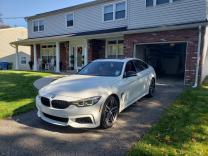
Current: 2019 440i xDrive Gran Coupe - Alpine White, Coral Red Dakota Leather, 8AT, MSport, THP, BM3; 2015 X5 35i xDrive - Mineral White Metallic, Mocha Dakota Leather; Previous: 2015 Subaru WRX - World Rally Blue, Premium, FBO+Tune
|
|
Appreciate
0
|
| 05-02-2022, 04:10 PM | #6 |
|
Captain
638
Rep 710
Posts |
You have to install the add-on first.
https://github.com/BimmerGestalt/IDr...ddons/releases Once you are connected to your car, there will be additional apps available in your Connecteddrive menu. For me it does not have a title, but just a circle, so it is kind of a roulette game which the custom map and which is screen mirroring  Select the circle and -boom- screen mirroring. Last edited by MidtownMike; 05-02-2022 at 05:02 PM.. |
|
Appreciate
0
|
| 05-02-2022, 04:52 PM | #7 |
|
Captain
436
Rep 601
Posts
Drives: 2019 440i XDrive GC
Join Date: Oct 2021
Location: New Jersey
|
Do i install all of the APK files in that link or just the screen mirror one?
__________________
Current: 2019 440i xDrive Gran Coupe - Alpine White, Coral Red Dakota Leather, 8AT, MSport, THP, BM3; 2015 X5 35i xDrive - Mineral White Metallic, Mocha Dakota Leather; Previous: 2015 Subaru WRX - World Rally Blue, Premium, FBO+Tune
|
|
Appreciate
0
|
| 05-02-2022, 05:08 PM | #8 |
|
Captain
638
Rep 710
Posts |
Just the screen mirror one. The other apk's are different functions such as extra gauges (speed,torque, temperatures) on your phone and some diagnostics.
If i understood correctly these are more proof of concepts /open source sharing than real polished apps to be used. The idea is for other developers to fine-tune and take.it to the next level. As the original creator of AAIDrive, Hufman will be able to explain a lot better than I can. |
|
Appreciate
1
oem.plus_440gc435.50 |
| 05-02-2022, 06:41 PM | #9 |
|
Major General
 
2427
Rep 6,168
Posts |
Bluetooth doesn't have the necessary bandwidth to support the data transfer like that. It's only used for connectivity and audio streaming.
Even in wireless AA, Bluetooth is only used for the car to push back the wifi direct info so that your phone can connect. Once that is done, Bluetooth is no longer used. If you are having issues I'd suspect the cable. Cheap USB cables have issues with the higher bitrate needed for these services. In our Audi, a cheaper cable I got won't work with AA, but the OEM Google one is just fine. |
|
Appreciate
0
|
| 05-03-2022, 12:51 AM | #10 |
|
BimmerGestalt dev
5
Rep 15
Posts |
It is precisely because of the mediocre quality of screen mirroring over Bluetooth that the screen mirroring addon is only available from Github and not easily in the store. The other addons are indeed just proof-of-concepts for others to take and polish up before publishing to the store for general users.
|
|
Appreciate
1
oem.plus_440gc435.50 |
| 05-03-2022, 11:24 AM | #11 |
|
Captain
638
Rep 710
Posts |
@hufman: I guess wifi direct isn't an option for those of us with wifi antennas, correct?
I haven't been able to find any polished versions of the add-ons (yet). Are you aware of anyone working on this? Would be really cool to have user-configurable extra gauges and diagnostics on a phone or tablet that blend right in with the iDrive interface (fonts, colors) and digital dash! Really cool to see how much real-time car data is available. So many possibilities! Last edited by MidtownMike; 05-03-2022 at 11:33 AM.. |
|
Appreciate
0
|
| 05-03-2022, 01:11 PM | #12 |
|
Second Lieutenant
65
Rep 296
Posts |
Huffman, Its a cracking little App really. Good on you for creating it. I quite like the little car info screen. Just out of curiosity, I had my ctek charger on my car for almost the entire day at the weekend. It eventually said the battery was fully charged. I probably left it on for another 2 hours after that. I noticed however, when I switched the ignition on, the car info part of the AAidrive app said the acc batt was only 66%?
Also, the connection steps still has an unchecked box saying my samsung s20 is not connected via usb for data. But it is set for data on my phone. Can you run waze maps in any shape or form with AAidrive? I know google is out the question because of the legal stuff. Waze would be nice though. Anyway. Its still great. Does a great job with Spotify. Im going to try that screen mirroring as my current screen mirror app produces a woefully small mirror on the CID. Thanks Huffman |
|
Appreciate
0
|
| 05-03-2022, 02:34 PM | #13 |
|
BimmerGestalt dev
5
Rep 15
Posts |
I don't know if the Wifi Direct connection provides access to the BMW Apps port. MyBMW itself has a connection method that connects over IP instead of USB or Bluetooth but I have no idea how to trigger it. I have no idea how to connect to my car's Carplay wifi port to try, alas.
I have not heard of anyone working on developing any addons. The Car Info merely reports what the car's api provide, and I'm not sure how it decides the values of specific points. The USB apps connection is finicky, so I can't tell for certain what scenario you are encountering. Waze (and any other app) is impossible to embed while allowing the screen to turn off, and so screen mirroring is the only option. Thank you for the compliments! |
|
Appreciate
0
|
| 05-03-2022, 03:13 PM | #14 |
|
Captain
638
Rep 710
Posts |
Thank you Hufman for teleporting our F30's from 2012 where BMW abandoned them to 2022.
Buy this man a coffee by using the "Support" link in the app or the link below: https://www.buymeacoffee.com/q4JVoxz Oh by the way: I noticed that apps connecting was hit or miss when I started using the app, even though I had truned battery optimization off for both apps. Then I found out that, in those instances where it did not connect, manually opening the MyBMW app would establish the connection. Now I use Tasker to automatically open MyBMW app whenever I connect to my car's BT, and now it connects 10/10. Any chance that a future version of AAIDrive will have option to auto summon the MyBMW app and maybe perform other tasks whenever a connection is established? Other tasks I have automated are maximize media & call volume, turn off do not disturb and a few others. |
|
Appreciate
0
|
| 05-04-2022, 07:37 PM | #16 |
|
BimmerGestalt dev
5
Rep 15
Posts |
AAIdrive does already set the Bluetooth volume to max a few seconds after the connection is confirmed. I'm reluctant to add workarounds for MyBMW's flakiness, because it is being actively developed and I don't know which versions need the workaround, and different phone need different workarounds, and so it's best for users to apply this workaround on their own. Toggling phone settings like Do Not Disturb is a policy decision that definitely needs to be set up by the user: I don't want to add extra required permissions for a usecase only for some users, I'm proud of how minimal the app is.
Thank you for the kind words and donations! |
|
Appreciate
0
|
| 05-05-2022, 12:49 AM | #17 |
|
Captain
638
Rep 710
Posts |
Thanks Hufman, I was not aware that AAIDrive already set volume to max by itself, because that was a task that I already had set up for ages well before I knew AAIDrive existed. Good to know that's one task less for Tasker to perform!
Indeed great to keep the app lean and minimize permissions needed. |
|
Appreciate
0
|
| 07-04-2023, 05:37 AM | #18 |
|
Enlisted Member
 3
Rep 31
Posts |
I know the topic doesn't match my question but seeing that there was a lot of discussion and knowledge on the topic, I thought I mighy find answers here.
So, my vehicle has NBT id4, with connecteddrive and apps options from the factory. It's 3G unit though, but I managed to use the smartphone tethering to move data to be able to register it with MyBMW app. The MyBMW app seems to connect without issues both on bluetooth and USB. With aaidrive I sometimes get the prompt to install MyBMW and if I click that link, it says the app is not available in my country. Even though I have the app installed and running on my phone. Perhaps the aaidrive points to some specific region version of MyBMW somehow? Anyway, sometimes it doesn't show that and I get a bit further. In these cases aaidrive starts to switch between "waiting app connection to start" and "apps connection is connecting". The idrive screen then shows "install bmw connected app", even though MyBMW is running and works (can open and close door locks for example). The furthest I got yesterday was that I had the apps appear in both the connecteddrive and multimedia menus. I could use google voice input to search for music and I had youtube music showing the album art and song info on the idrive. The info on the connected vehicle from this occasion is still showing on aaidrive menu. I don't know how and havent been able to repeat this. The way I connected then was connecting usb before ignition on. Since then it doesnt seem to matter if I have bluetooth on or off when trying, or ignition on or off. I just dont seem to get there. I have tried 4 different usb cables, only one of them only charged, others recognise the phone on idrive and MyBMW works. How could I get aaidrive to work? It would seem to be exactly what I need if it just worked. Screenshots and pics of this: View post on imgur.comLast edited by Turhapuro; 07-04-2023 at 09:29 AM.. |
|
Appreciate
1
Tommo3166.50 |
| 07-04-2023, 09:45 AM | #19 |
|
BimmerGestalt dev
5
Rep 15
Posts |
Good morning!
The stable version in the Play Store has a flaky UI bug about detecting MyBMW, I apologize for that. It doesn't update the screen after the asynchronous discovery happens, but internally it does know about the app and will connect to the car when the tunnel comes up. Switch to the Beta test track in the Play Store for the fix until I release the next stable version. On the other hand, MyBMW is flaky in a different way. You see the notification saying it's connected over Bluetooth, but that just detects the Bluetooth music connection to some device named BMW, and the actual Bluetooth Apps support doesn't affect it. The connection over USB is flaky too, and they seem unlikely to fix it. I don't know if there's a correct startup procedure from the car side, I believe it's basically random chance for the correct parts of MyBMW to start up in the right order. You could try BMW Connected 6.4 (6.5 disabled Apps support), which will run the tunnel even without logging in, and some people have had better luck with it. BMW Connected Classic might work even better, from what I've heard, but it is more susceptible to being background killed by Android. Once the BMW app is connected to the car, AAIdrive should connect seamlessly. Getting the BMW USB connection is the tricky part, however! |
|
Appreciate
0
|
| 07-04-2023, 12:59 PM | #20 |
|
Enlisted Member
3
Rep 31
Posts |
Many thanks for your prompt and insightful response, Hufman, it is much appreciated. I now uninstalled MyBMW and tried to install each BMW Connected app 6.4.* version I could find on apkpure. Each of them asked for permission to send notifications and then proceeded to just show a nag screen "Something went wrong. Please try again" with a retry-buttom that does nothing. So i went ahead and installed the BMW connected classic. That one succeeded to install, so I will try it out tomorrow when I get back to the car.
|
|
Appreciate
0
|
| 07-04-2023, 03:33 PM | #21 |
|
BimmerGestalt dev
5
Rep 15
Posts |
Indeed, BMW Connected won't be able to find its servers or login service anymore, but as long as it is installed, it should still start up the tunnel even with that error. BMW Connected Classic has an entirely optional login flow, so it should not show an error at all.
|
|
Appreciate
0
|
| 07-06-2023, 04:35 AM | #22 |
|
Lieutenant
167
Rep 413
Posts |
AAidrive used to be great. I could get into my 2018 F31 with Idrive 6 and NBT evo, and Spotify would automatically play. I worked great for nearly a year, then it just stopped.
Perhaps the BMW app had updated or something, but now have given up. |
|
Appreciate
0
|
Post Reply |
| Bookmarks |
|
|


